
• Our Courses
  • Course Calendar
  • Online Microsoft Courses
  • Tailored Training
  • Training Locations
    • Australia
      • Sydney
      • Melbourne
      • Brisbane
      • Canberra
      • Perth
      • Adelaide
      • Hobart
      • Darwin
    • New Zealand
      • Auckland
      • Wellington
    • South East Asia
      • Tokyo
      • Hong Kong
      • Singapore
      • Kuala Lumpur
  • About Us
    • Our Philosophy
    • Our Team
    • Testimonials
  • Contact Us
  • 3grow Blog
  • Short Courses
    • Copilot Cowork — Short Course
    • Enhance Productivity with Copilot — Short Course
    • Creating Agents with Copilot Studio — Short Course
    • SharePoint Basics — Short Course
    • SharePoint Document Management Masterclass — Short Course
    • Power Apps for SharePoint Users — Short Course
    • Build Responsive Apps with Power Apps — Short Course
    • Supercharging your Power Automate Approvals — Short Course
    • Microsoft Teams Basics — Short Course
    • Microsoft Teams for Team Owners — Short Course
  • Microsoft 365 Courses
    • Microsoft 365 End User Essentials
    • Microsoft 365 Groups & Microsoft Teams
    • Microsoft 365 Administrator
  • Copilot Courses
    • Enhance Productivity with Copilot — Short Course
    • Copilot Cowork — Short Course
    • Copilot for End Users
    • Copilot Advanced
    • Copilot for Super Users
    • Creating Agents with Copilot Studio — Short Course
  • SharePoint Courses
    • SharePoint Basics — Short Course
    • SharePoint End User Essentials
    • SharePoint for End Users
    • SharePoint for Power Users
    • SharePoint for Site Owners
    • SharePoint Document Management Masterclass — Short Course
  • Power Platform Courses
    • Power Automate Courses
      • Power Automate for Super Users
      • Supercharging your Power Automate Approvals — Short Course
    • Power Apps Courses
      • Power Apps for SharePoint Users — Short Course
      • Power Apps for Super Users
      • Build Responsive Apps with Power Apps — Short Course
    • Power BI Courses
      • Power BI Essentials
      • Power BI Report Design
      • Power BI Service
      • Power BI Advanced
      • Power BI DAX Essentials
  • Teams Courses
    • Microsoft Teams Basics — Short Course
    • Microsoft 365 Groups & Microsoft Teams
    • Microsoft Teams for Team Owners — Short Course
  • Microsoft Office Courses
    • Microsoft Word Courses
      • Word for Beginners
      • Word Intermediate
      • Word Advanced
    • Microsoft Excel Courses
      • Excel for Beginners
      • Excel Intermediate
      • Excel Advanced
      • Excel for Data Analysts
      • Excel Visual Basic
    • Microsoft PowerPoint Courses
      • PowerPoint for Beginners
      • PowerPoint Advanced
    • Microsoft Outlook Courses
      • Outlook for Beginners
      • Outlook Advanced
    • Microsoft Project Courses
      • Project Essentials
      • Project Advanced
Copilot connectors are about to do more than just find information

Copilot connectors are about to do more than just find information

by Russ Norton | Sep 24, 2026 | Copilot

Microsoft 365 Copilot’s federated connectors can soon create, update and delete data. Explore practical use cases and what admins should check first.

Meet Copilot Cowork: Your New AI Co-Worker in Microsoft 365

Meet Copilot Cowork: Your New AI Co-Worker in Microsoft 365

by Russ Norton | Sep 10, 2026 | Copilot, Cowork

Copilot Cowork is Microsoft’s new agentic AI digital co-worker – here’s what it is, how it differs from regular Copilot, and practical examples of how it can help.

Microsoft Purview Records Management Now Talks to Power Automate: What It Means for Your Organisation

Microsoft Purview Records Management Now Talks to Power Automate: What It Means for Your Organisation

by Russ Norton | Sep 8, 2026 | Microsoft 365, Power Automate, Purview

Microsoft Purview Records Management is integrating with Power Automate. Discover how automated retention workflows can reduce compliance overhead and improve governance.

Upcoming Feature: Interactive Excel Canvas Powered by Copilot

Upcoming Feature: Interactive Excel Canvas Powered by Copilot

by Russ Norton | Sep 7, 2026 | Copilot, Excel

Microsoft has added the Excel canvas to its roadmap for late 2026, bringing automated, interactive visual dashboards to workbook data using Copilot.

Three New Short Courses: Copilot Cowork, Power Apps for SharePoint Users & Responsive Power Apps

Three New Short Courses: Copilot Cowork, Power Apps for SharePoint Users & Responsive Power Apps

by Russ Norton | Sep 4, 2026 | AI, Copilot, Cowork, Microsoft Training, Power Apps

Three new live online short courses from 3grow: Microsoft 365 Copilot Cowork (3 hrs), Power Apps for SharePoint Users (2 hrs) and Build Responsive Apps with Power Apps (2 hrs).
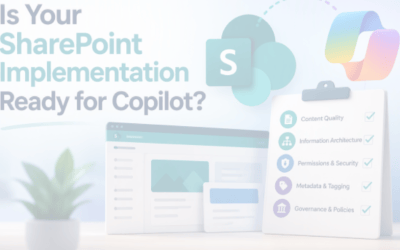
Is Your SharePoint Implementation Ready for Copilot?

Is Your SharePoint Implementation Ready for Copilot?

by Russ Norton | Jul 7, 2026 | Copilot, Microsoft 365, Microsoft SharePoint Online

Preparing your SharePoint environment for Copilot should be viewed as both an information management exercise and a security initiative. Find out what you should be checking…

EOFYS…?! 🙄 Save up-to 40% on ALL public course bookings in our SOFYS! 🤑

EOFYS…?! 🙄 Save up-to 40% on ALL public course bookings in our SOFYS! 🤑

by Russ Norton | Jul 6, 2026 | Offer

End of financial year sales are SOOOO last (financial) year… how about a START of financial year sale?! Save up-to 40% on ALL public course bookings made throughout July

Save 10% on ALL Public Courses While Supporting the Homeless!

Save 10% on ALL Public Courses While Supporting the Homeless!

by Russ Norton | Apr 20, 2026 | charity

On 18 June, I will be sleeping in a car park to raise money to help those facing homelessness. 3grow will donate 10% of every public course booking between now and 18 June, and you can save 10% on your booking as well!

A Fresh New Look in SharePoint Online: Our Thoughts

A Fresh New Look in SharePoint Online: Our Thoughts

by Russ Norton | Mar 17, 2026 | 3grow blog, Microsoft SharePoint Online, SharePoint Online

If you’ve logged into SharePoint Online recently and thought, “Hang on… something looks different” — you’re not imagining it. Microsoft has rolled out an updated SharePoint Online home page

Nominate a Charity to Receive 3grow’s Xmas Donations

Nominate a Charity to Receive 3grow’s Xmas Donations

by Russ Norton | Dec 10, 2025 | Competition, News, Xmas

Have your say on which charities should receive 3grow’s Xmas donations this year, and enter the draw to win a voucher for 50% off your next training or consultancy booking!

« Older Entries

In the spirit of reconciliation, 3grow acknowledges the Traditional Custodians of country throughout Australia and their connections to land, sea and community. We pay our respect to their Elders past and present and extend that respect to all Aboriginal and Torres Strait Islander peoples today.

First nations flags

Quick Links

Course Calendar
Course Outlines
Contact
About
Sitemap

Microsoft 365 Courses

Power BI Essentials
Power BI Advanced
SharePoint for Power Users
SharePoint for End Users
Microsoft 365 Essentials
Microsoft 365 Administrator
Microsoft 365 Power Platform
Power Automate Training

Training Locations

SharePoint Training Melbourne
SharePoint Training Sydney
SharePoint Training Adelaide
SharePoint Training Brisbane
SharePoint Training Wellington
SharePoint Training Auckland
SharePoint Training Singapore
SharePoint Training Hong Kong

Recent Blog Posts…

  • Copilot connectors are about to do more than just find information
  • Meet Copilot Cowork: Your New AI Co-Worker in Microsoft 365
  • Microsoft Purview Records Management Now Talks to Power Automate: What It Means for Your Organisation
  • Upcoming Feature: Interactive Excel Canvas Powered by Copilot

Follow Us…

  • LinkedIn
  • X
  • Facebook
  • YouTube
  • Google

We'd love to hear from you...

WhatsApp: Get in touch
Australia:
+61 3 9005 1019
New Zealand: +64 4 974 9399
Hong Kong: +85 2 5808 4967
Singapore: +65 3 158 9637
© Copyright 2025, 3grow Australia

Loading Comments...