You know the document exists. You remember roughly what it said. You might even remember who wrote it.
What you don't remember is whether it lives in SharePoint, your OneDrive, or a folder called “Old stuff—DO NOT DELETE”. And its filename is probably something wonderfully helpful like Final_v3_REALLY_FINAL.docx.
That's the sort of everyday frustration Microsoft's latest roadmap update is aiming to tackle. Copilot Search in SharePoint and OneDrive is planned to bring natural-language searching, AI-generated summaries and source references into the places where we already keep our documents.
In other words: less trying to guess the right keyword, and more describing what you're actually looking for.
There's one important distinction before we get carried away: this is a planned update, not a confirmed launch. Microsoft's roadmap currently lists the feature as in development, with a January 2027 release estimate. More on the timing below.
What's actually changing?
Microsoft's description of roadmap item 573696 includes five things:
- Natural-language search: describing what you need rather than relying only on a few keywords.
- Relevant search results: finding the content that relates to your request.
- AI-generated summaries: a way to get an overview of matching information.
- Source references: links back to the material behind those summaries.
- Filters and a handoff to Copilot: ways to narrow your search and move from finding information into a Copilot interaction.
That last point is useful. Finding a document and making sense of it are often two separate jobs. The planned handoff suggests a smoother transition between them, although Microsoft hasn't spelled out every detail of the SharePoint and OneDrive experience yet.
This isn't a reason to declare ordinary search dead. Exact filenames, clear folder structures and sensible metadata will still be useful. The proposed change is another way into your information—not a licence to abandon looking after it.
What might that look like at work?
The examples below illustrate how the announced capabilities could help. They're not screenshots, tested prompts or promises about the final interface.
Finding the onboarding guide without knowing its filename
A new starter asks how to request access to the team's systems. You know there's a guide, but searching “access” produces everything from building passes to a five-year-old IT project.
A more natural request might be:
"Find the onboarding guide that explains how new staff request access to our systems."
The potential benefit is being able to describe the purpose of the document, not just guess the words in its title. Once you've found a likely match, open the source and check its owner and date.
That matters because a convincing summary of last year's procedure is still last year's procedure.
Tracking down the proposal you nearly remember
You've been asked to reuse some wording from a previous proposal. You remember the subject, but not the customer name used in the filename - or whether you saved your working copy in OneDrive.
Try thinking in terms of the information you need:
"Find the proposal about consolidating our reporting into a single dashboard."
A summary could help you decide which matching document is worth opening, rather than downloading half a dozen files and discovering that four are essentially the same draft.
You'd still check the original before lifting any wording. Pricing, commitments and customer details are not things to copy on autopilot.
Getting up to speed on a project
You've joined a project halfway through, and someone has helpfully sent you a link to a library containing 200 documents. Lovely. Where do you start?
A search such as:
"Find the project documents that explain the agreed scope and key milestones."
could provide a more useful starting point than opening files in alphabetical order. Relevant results and summaries may help you identify the scope document, delivery plan and supporting material.
The handoff to Copilot could then support further exploration. Exactly how that works in this new experience is still to be confirmed, so treat it as something to evaluate - not a guaranteed one-click project briefing.
Looking up a policy before giving someone an answer
Someone asks whether they can carry annual leave into next year. You vaguely remember the rule, but “I think so” isn't a great HR policy.
A natural-language search might help locate the relevant policy and give you an initial summary. The useful part is the source reference: you can open the policy and check the actual wording, effective date and any exceptions before replying.
For HR, finance, legal or compliance questions, a summary is a starting point. The source document remains the thing to verify.
The source references are the bit worth paying attention to
AI summaries are convenient. Being able to check where they came from is what makes them useful for work.
A reference lets you ask the questions that matter:
- Is this the current approved document or an old draft?
- Does the original actually support the summary?
- Are there conditions or exceptions that have been left out?
- Is this information appropriate to use for the decision I'm making?
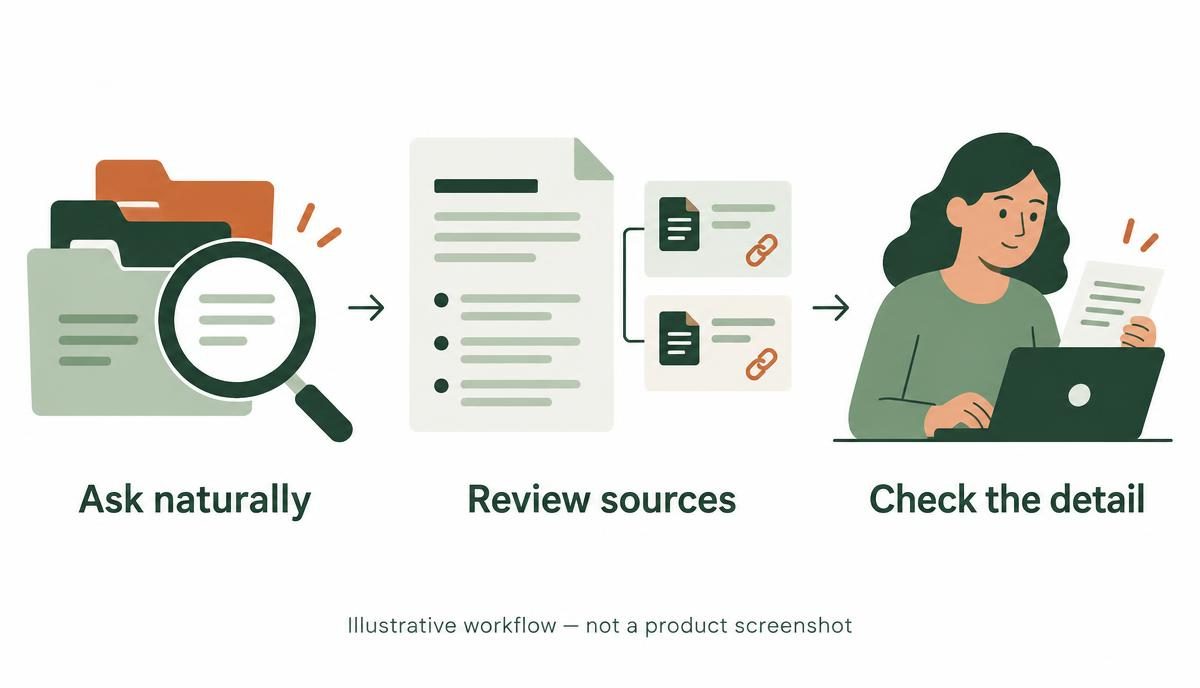
That small habit—open the source, check the detail—will matter more than learning a clever prompt.
Is this the same as Copilot Search in the Microsoft 365 Copilot app?
Related, but don't assume the experiences are identical.
Microsoft already documents Copilot Search in the Microsoft 365 Copilot app as a broader organisational search experience. Depending on configuration, that experience can include connected sources beyond SharePoint and OneDrive.
This roadmap item specifically describes bringing Copilot Search to SharePoint and OneDrive. It doesn't establish that every capability, connected source or setting from the Copilot app will appear in those locations.
The name is familiar; the exact scope still needs its own documentation.
When is it arriving, and who gets it?
As checked on 4 November 2026, Microsoft's roadmap lists:
- Status: In development.
- Preview estimate: October 2026.
- Release estimate: January 2027.
- Platform: Web.
The preview estimate has already passed, but that isn't proof the preview is available. I haven't found a Microsoft confirmation that this particular feature has entered preview or launched. Roadmap dates can change, and availability in your organisation needs checking separately.
The entry also doesn't specify the licensing requirements for this SharePoint and OneDrive update. Microsoft's licensing guidance for Search in the Copilot app shouldn't be treated as a definitive answer for this separate feature.
Before buying licences or promising a rollout date to your team, check Microsoft's latest feature guidance and your organisation's Microsoft 365 messages.
What can you do now?
You don't need to wait for a new search box to make your content easier to find.
Start with the documents people use most. Policies, onboarding guides, templates and project reference material are good candidates. Give them clear titles, identified owners and a sensible review routine.
Deal with competing versions. If there are three documents claiming to be the current policy, decide which one actually is. An AI summary won't settle that governance question for you.
Review access and sharing. Microsoft 365 Copilot's wider security guidance says it works within users' existing access. That makes permissions important: content being accessible doesn't automatically mean it should be accessible. Check broad sharing, forgotten guests and sites with no active owner.
Give people a checking habit. Teach staff to verify sources, not just admire a nicely written answer. A short summary can save time without becoming the final authority.
Test real tasks when the feature reaches you. Use a handful of everyday searches: find a policy, locate a proposal, identify a project plan. Compare the results with what your staff actually need rather than judging it on a polished demonstration alone.
A better search experience still needs better content
This update looks promising because it tackles a very ordinary problem: people know what they need, but not necessarily what someone called it or where it was filed.
Natural-language search and summaries could make that hunt less painful. They won't turn outdated, duplicated or poorly governed content into a reliable knowledge base overnight.
If you'd like help getting the foundations right, our Preparing SharePoint for Copilot(opens in a new tab) course focuses on the content and governance work that site and Teams owners can do. For administrators assessing the wider environment, Auditing SharePoint for Copilot Readiness(opens in a new tab) is the technical counterpart.
You can also browse our SharePoint training(opens in a new tab) and Copilot courses(opens in a new tab) to find the right starting point.
Because “ask naturally, check the source” is a much better working habit than “search, swear, ask Dave”.