
SharePoint Basics
3 Hours
Duration
Beginners
Level
AU$290+GST
per person
Course Overview
This 3-hour SharePoint Basics course covers the essential skills which every SharePoint user requires in order to confidently navigate throughout SharePoint and the wider Microsoft 365 experience, as well as searching for content and working with files in SharePoint and OneDrive.
Put your skills into practice with comprehensive lab exercises at the end of the session.
Course Prerequisites
No previous SharePoint experience is required, however participants should have a working knowledge of the fundamentals of the Microsoft Office suite.
Registering Multiple Participants?
Book 2 seats or courses in the same category to save 10%, or 3+ seats to save 20%.
Do you have 5 or more participants?
Private courses are more cost-effective if you're looking to upskill 5 or more people.
Course Modules
Module 1: Introducing Microsoft 365 and SharePoint
This module provides an introduction to Microsoft 365 and explains the role SharePoint plays as an organisation's collaboration and document management platform. Participants will gain an understanding of how SharePoint connects with other Microsoft 365 applications and how information is stored, shared, and managed across the digital workplace.
- Introduction to Microsoft 365
- Understanding SharePoint Online
- SharePoint's role within an organisation
- How SharePoint integrates with Microsoft Teams, OneDrive, and Outlook
- Understanding sites, pages, libraries, and lists
- Common SharePoint terminology
- Accessing SharePoint from Microsoft 365
- Understanding permissions and content ownership
Module 2: Navigating Microsoft 365 and SharePoint
This module focuses on helping participants confidently move around the Microsoft 365 environment and SharePoint sites. Participants will learn how to locate frequently used content, follow sites, access recent activity, and work efficiently within the SharePoint interface.
- Navigating the Microsoft 365 home page
- Accessing apps from the Microsoft 365 launcher
- Exploring SharePoint home and site navigation
- Understanding site layouts and navigation menus
- Following sites and accessing frequent sites
- Viewing recent and recommended content
- Accessing team sites and communication sites
- Personalising the SharePoint experience
Module 3: Searching for Content
This module explores the various ways users can locate information within Microsoft 365 and SharePoint. Participants will learn how search works, how to refine results, and how to quickly find documents, sites, people, and other organisational content.
- Understanding Microsoft Search
- Searching within SharePoint sites
- Searching across Microsoft 365
- Finding files, sites, and people
- Using search filters and refiners
- Understanding search results and relevance
- Locating recently modified content
- Search tips and best practices
Module 4: Working with Files in SharePoint and OneDrive
This module introduces the core file management tasks that every SharePoint user performs. Participants will learn how to create, upload, edit, move, and delete files while understanding where content should be stored and how documents are managed throughout their lifecycle.
- Understanding SharePoint vs OneDrive vs Teams
- When to store files in each location
- Creating new documents in SharePoint
- Uploading files and folders
- Editing Office documents in the browser and desktop apps
- Moving and copying files
- Renaming and deleting files
- Understanding document properties and metadata
- Sharing files and collaborating with others
Module 5: Managing Document Versions and Syncing Files
This final module focuses on features that help users manage document changes and access files more efficiently. Participants will learn how version history works, when to use check-in and check-out, and how to synchronise SharePoint libraries with File Explorer for easier access.
- Understanding version history
- Viewing and restoring previous document versions
- Benefits of document versioning
- Understanding check-in and check-out
- When document check-out is required
- Resolving common document conflicts
- Syncing SharePoint libraries to File Explorer
- Managing synced content
- Working with files offline
- Best practices for document management and collaboration
Microsoft Training Packages Available
Book two seats on any SharePoint, Copilot, Power Automate, Power Apps, Power BI or Microsoft Office courses to receive a 10% discount, or three or more seats for a 20% discount.
- Discount automatically applied at check-out. See Terms & Conditions for more info.
Upcoming Dates...
- SharePoint Basics
Thu, 3 Dec 2026 · 9:30am – 12:30pm AEDT
Online (live), 3 Hours
AU$290+GST per person. Register - SharePoint Basics
Mon, 8 Feb 2027 · 9:30am – 12:30pm AEDT
Online (live), 3 Hours
AU$290+GST per person. Register - SharePoint Basics
Tue, 13 Apr 2027 · 1:30pm – 4:30pm AEDT
Online (live), 3 Hours
AU$290+GST per person. Register - SharePoint Basics
Thu, 13 May 2027 · 9:30am – 12:30pm AEDT
Online (live), 3 Hours
AU$290+GST per person. Register - SharePoint Basics
Sat, 12 June 2027 · 9:30am – 12:30pm AEDT
Online (live), 3 Hours
AU$290+GST per person. Register - SharePoint Basics
Mon, 21 June 2027 · 1:30pm – 4:30pm AEDT
Online (live), 3 Hours
AU$290+GST per person. Register - SharePoint Basics
Fri, 9 July 2027 · 9:30am – 12:30pm AEDT
Online (live), 3 Hours
AU$290+GST per person. Register - SharePoint Basics
Wed, 28 July 2027 · 1:30pm – 4:30pm AEDT
Online (live), 3 Hours
AU$290+GST per person. Register - SharePoint Basics
Tue, 7 Sept 2027 · 1:30pm – 4:30pm AEDT
Online (live), 3 Hours
AU$290+GST per person. Register
Prerequisites
N/A
Alternative Courses
SharePoint for End Users
Next Steps...
SharePoint for Site Owners
Copilot for End Users

Related Courses...
- Power Apps for Super Users (Beginner, 2 Days). Per person AU$1,100+GST. Next date: Thu, 10 Dec 2026.
- Build Responsive Apps with Power Apps (Intermediate, 2 Hours). Per person AU$190+GST. Next date: Mon, 7 Dec 2026.
- Power Apps for SharePoint Users (Intermediate, 2 Hours). Per person AU$190+GST. Next date: Fri, 27 Nov 2026.
- Enhance Productivity with Copilot (Beginner, 2 Hours). Per person AU$190+GST. Next date: Thu, 26 Nov 2026.
- Microsoft 365 Copilot Cowork (Beginner, 3 Hours). Per person AU$290+GST. Next date: Fri, 27 Nov 2026.
- Microsoft 365 Copilot for End Users (Beginner, 1 Day). Per person AU$650+GST. Next date: Mon, 30 Nov 2026.
- Microsoft 365 Copilot for Super Users (Beginner, 2 Days). Per person AU$1,100+GST. Next date: Mon, 30 Nov 2026.
- Auditing SharePoint for Copilot Readiness (Intermediate, 1 Day). Per person AU$650+GST. Next date: Wed, 18 Nov 2026.
- Preparing SharePoint for Copilot (Intermediate, 3 Hours). Per person AU$290+GST. Next date: Thu, 19 Nov 2026.
- Microsoft 365 Copilot Advanced (Advanced, 1 Day). Per person AU$650+GST. Next date: Tue, 1 Dec 2026.
- SharePoint Basics (Beginner, 3 Hours). Per person AU$290+GST. Next date: Thu, 3 Dec 2026.
- SharePoint Online End User Essentials (Beginner, 1 Day). Available as a private on-site or online course.
- SharePoint Online for End Users (Beginner, 2 Days). Per person from AU$875+GST. Next date: Mon, 23 Nov 2026.
- SharePoint Document Management Masterclass (Intermediate, 2 Hours). Per person AU$190+GST. Next date: Wed, 2 Dec 2026.
- SharePoint Online for Power Users (Intermediate, 4 Days). Per person from AU$1,755+GST. Next date: Mon, 23 Nov 2026.
- SharePoint Online for Site Owners (Intermediate, 2 Days). Per person from AU$875+GST. Next date: Wed, 18 Nov 2026.
- SharePoint Site Collection Administrator (Advanced). Available as a private on-site or online course.
- Power BI Essentials (Beginner, 1 Day). Per person AU$350+GST. Next date: Fri, 20 Nov 2026.
- Power BI Report Design (Intermediate, 1 Day). Per person AU$450+GST. Next date: Wed, 25 Nov 2026.
- Power BI Service (Intermediate). Available as a private on-site or online course.
- Power BI Advanced (Advanced, 2 Days). Per person AU$900+GST. Next date: Wed, 18 Nov 2026.
- Power BI DAX Essentials (Advanced, 2 Days). Per person AU$900+GST. Next date: Mon, 23 Nov 2026.
- Power Automate for Super Users (Beginner, 1 Day). Per person AU$650+GST. Next date: Wed, 9 Dec 2026.
- Supercharging your Power Automate Approvals (Intermediate, 2 Hours). Per person AU$190+GST. Next date: Mon, 23 Nov 2026.
- Creating Agents with Copilot Studio (Advanced, 2 Hours). Per person AU$190+GST. Next date: Mon, 23 Nov 2026.
- Microsoft Teams Basics (Beginner, 3 Hours). Per person AU$290+GST. Next date: Thu, 3 Dec 2026.
- Microsoft Teams for Super Users (Beginner, 1 Day). Per person AU$650+GST. Next date: Tue, 12 Jan 2027.
- Microsoft Teams for Team Owners (Intermediate, 3 Hours). Per person AU$290+GST. Next date: Fri, 18 Dec 2026.
- Microsoft 365 End User Essentials (Beginner, 2 Days). Per person AU$1,100+GST. Next date: Tue, 24 Nov 2026.
- Enabling, Managing & Administering Microsoft 365 (Advanced). Available as a private on-site or online course.
- Managing Microsoft 365 Identities & Services (Advanced). Available as a private on-site or online course.
- Microsoft 365 Administrator (Advanced). Available as a private on-site or online course.
- Implementing Microsoft Azure Infrastructure Solutions (Advanced). Available as a private on-site or online course.
Course Inclusions...
Certified Trainers
All our trainers are Microsoft 365 experts in their own right, and must first be qualified to teach in our own World Education Alliance (WEA) Training Certification Program before delivering any of our courses.
We feel that it is important that all of the trainers and instructors can take their real-world experiences into the classroom, in order to ensure that they are well equipped to respond to any queries and questions which may be put their way, as well as give accurate and relevant guidance in the most appropriate methods to leverage the technology which SharePoint and its related tools provide.
Course Materials Provided
Our Microsoft 365 courseware is known as being some of the best training materials in the world.
FREE Email Support
We offer free post-course support with all of our courses, available via email, telephone, or our Viva Engage community.
FREE Re-sits within 10 Months
Once you've attended any of our public courses, you can re-sit the same course as many times as you like within the next 10 months, as long as your re-sit course has reached the minimum number of paid attendees required to go ahead.
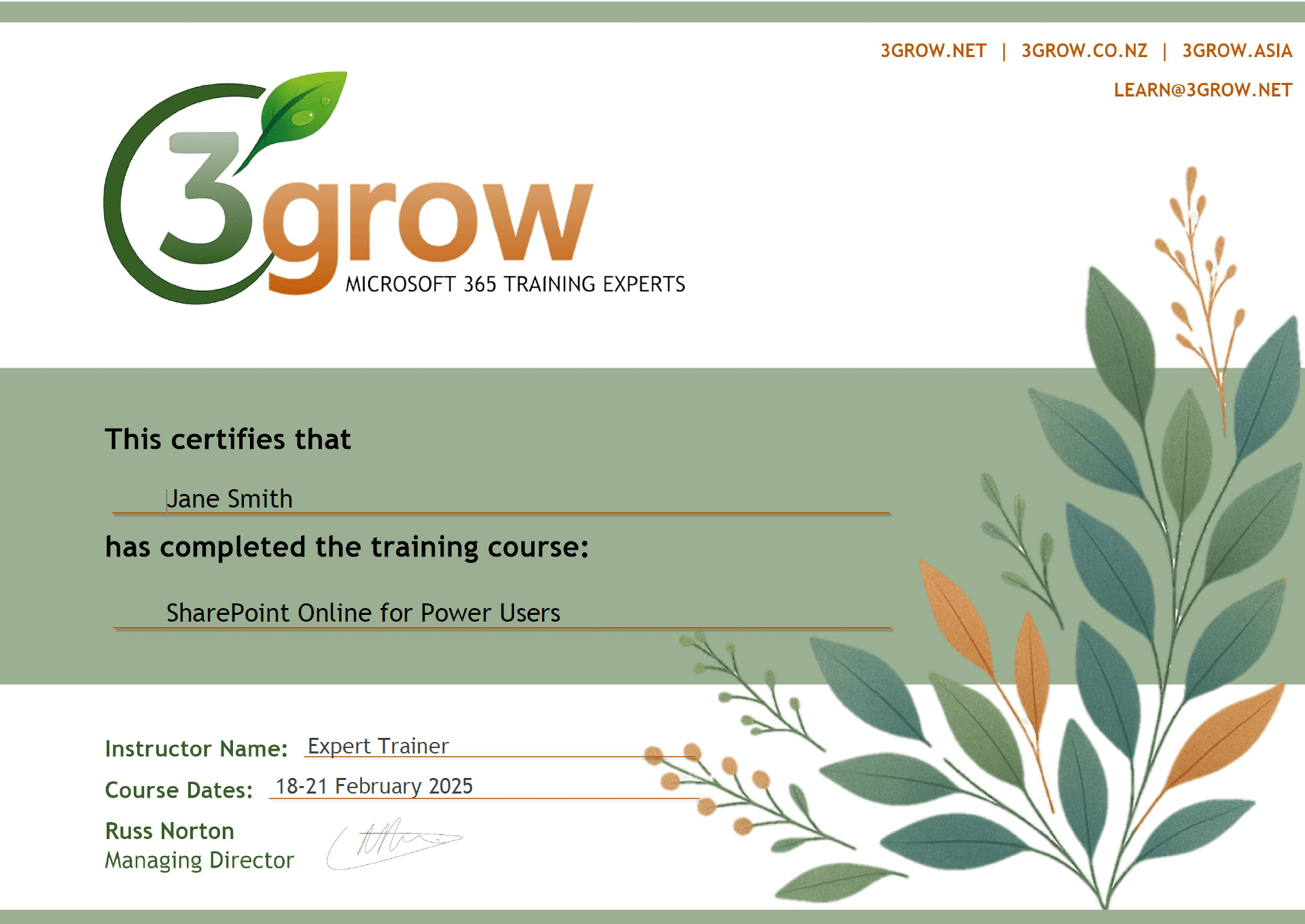
Certificate of Completion
Anyone attending a 3grow course will be provided with a personalised certificate of completion.
Get Hands-on Experience
All 3grow courses include plenty of hands-on experience, delivered via a combination of instructor-led follow-along demos and comprehensive lab exercises.
Personal Class Sizes
Although we allow a maximum of only 10 attendees on our public courses, the average is around 5 students, therefore each participant will leave the course feeling like they received the personal attention they deserve.
