
With more and more organisations rolling out Microsoft 365 Copilot to their users, ensuring sensitive or confidential information is only available to the right people has never been more vital – that’s why you should NEVER choose this default SharePoint sharing setting…
If you’re a tenant-level SharePoint or Microsoft 365 administrator, it’s IMPERITIVE that you check this setting within the SharePoint Admin Centre – users could be sharing files with the ENTIRE organisation, simply by selecting that innocuous ‘Copy link’ option on the list or library toolbar.
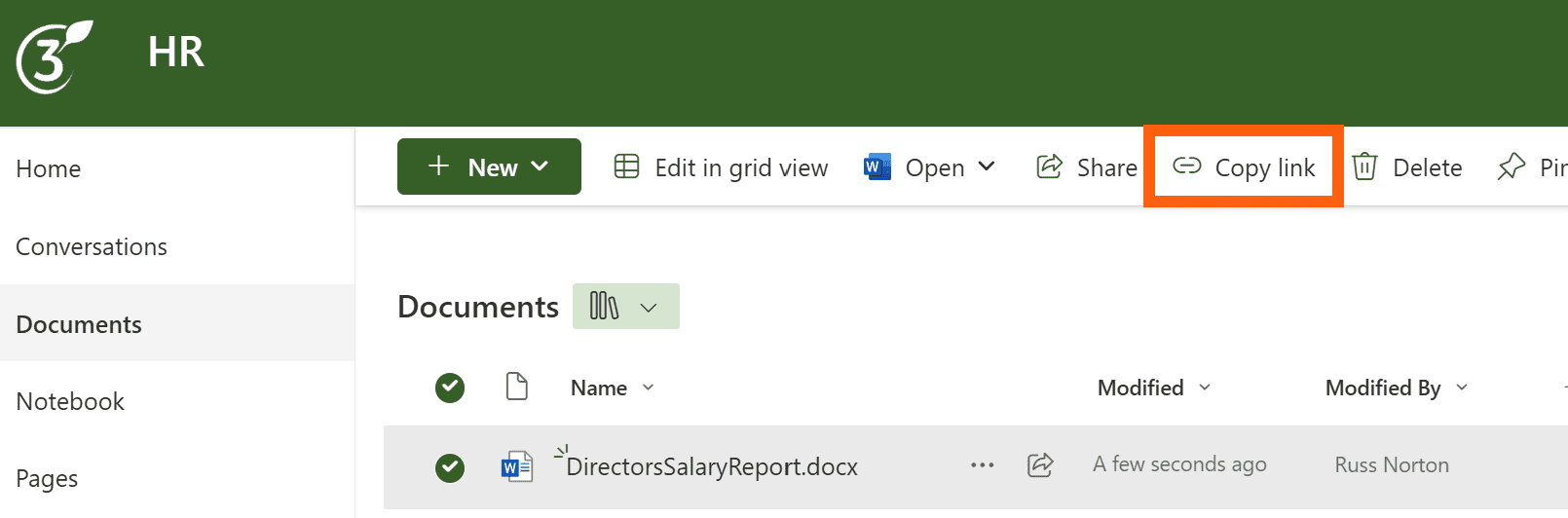
I’m not going to name and shame anyone, but I’ve come across this mistake twice this year… unfortunately the Microsoft 365 administrators within these organisations probably didn’t quite have the level of knowledge they should have, and the result was catastrophic.
EVERY time ANY user chose to copy the link of ANY file, folder, list or list item, they were granting EDIT permission to EVERY user within their organisation – and these were companies with hundreds or thousands of employees – I’ll let that sink in for a moment… 
It’s also worth reminding you all that, behind the scenes, OneDrive is essentially SharePoint; so throughout the rest of this post, whenever SharePoint is mentioned, what we really mean is SharePoint and OneDrive.
Which Sharing Policy is selected by default?
Within the SharePoint Admin Centre, there’s an option for Sharing Policies…
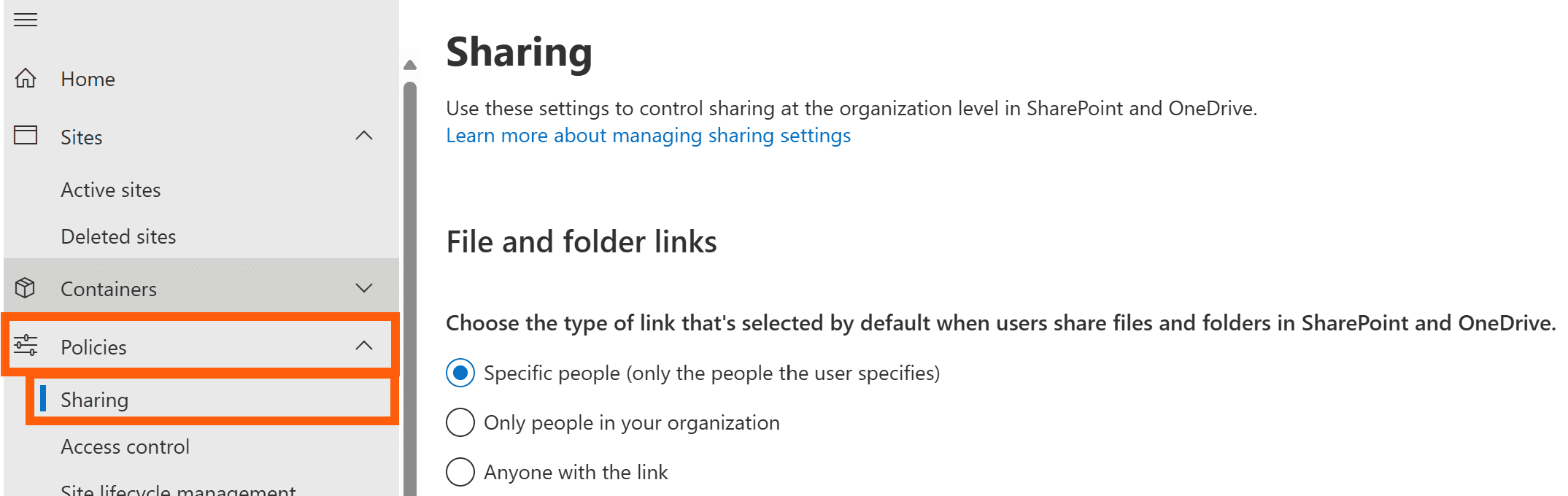
By default, the option selected states that when a user chooses to Share a file, folder, list or list item, they will be doing so with Specific people (only the people the user specifies), meaning those users will be granted permission (Edit by default) to that object in addition to those who already have permission; this also means that permission inheritance is broken on that object, assuming the specified users don’t already have access to that object.
With the same default sharing setting selected within the SharePoint Admin Centre, when a user chooses Copy link, SharePoint simply generates a link which only works for those who already have permission to that object – no additional permissions are granted, and permission inheritance remains intact.

To summarise – with the default-default Sharing Policy settings applied, no users are granted permission to any object without being explicitly selected.
So what’s this simple mistake those administrators made…?
Admittedly, the wording is a little misleading, so when they chose Only people in your organisation, what they were actually (and inadvertently) selecting was EVERYONE in your organisation.
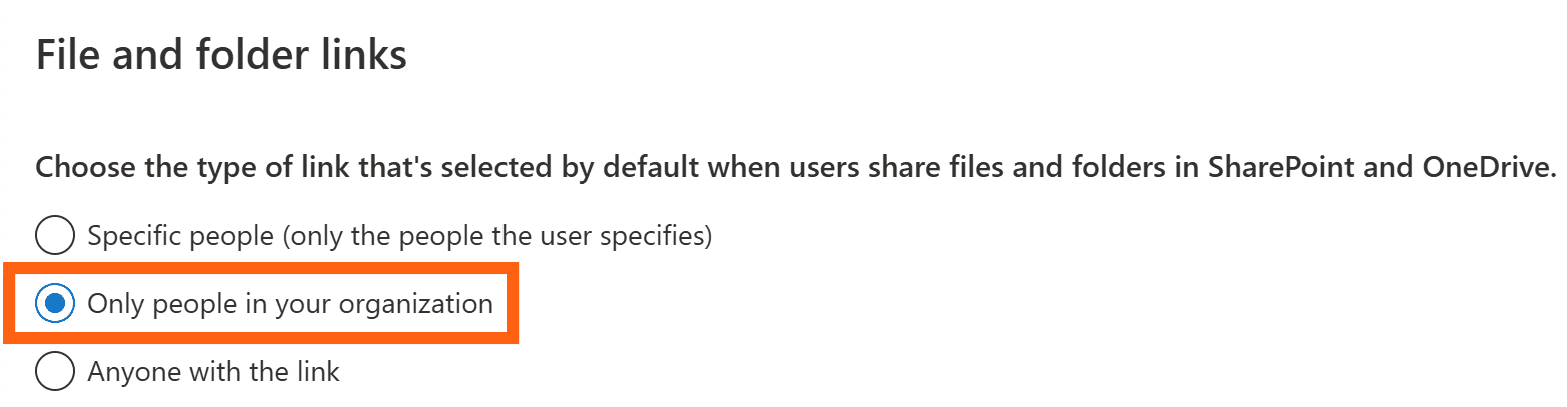
With this default sharing setting selected, when a user chooses to Share a file, folder, list or list item, they will be granting permission (again, Edit by default) to that object to everyone in the organisation, even though the only users who receive an email notifying them of their permissions are those specified at the point of sharing.
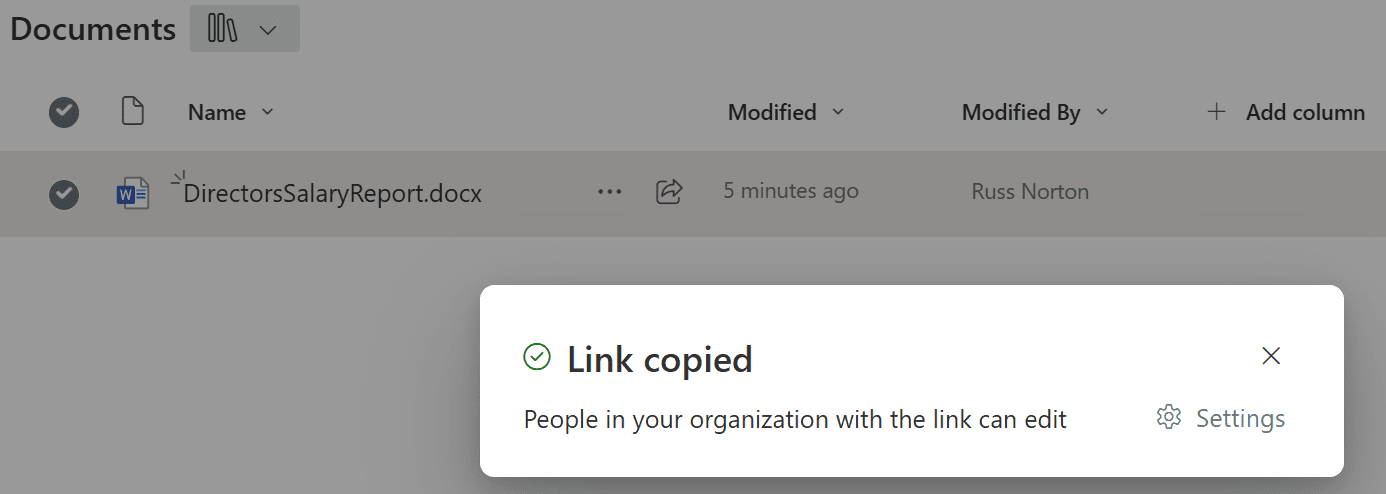
With this same default sharing setting selected, when a user chooses Copy link, SharePoint generates a link, and again, grants edit permission to EVERY user within your organisation.
So whether a chooses Share or Copy link, permission inheritance is broken on that object, assuming all users don’t already have Edit permission to that object, which, of course, is highly unlikely!
To summarise – with the non-default-default (you know what I mean…) sharing settings applied, ALL users are granted Edit permission to EVERY object without being explicitly selected every time a user chooses Share or Copy link.
Why is this so bad, if users aren’t notified of these permissions…?
Even though most users will never receive an email notifying them of their new permissions, these objects can still show in search results.
Also, Copilot is able to respond to prompts using any and all information to which the user has access throughout Microsoft 365.
Now, imagine the HR manager copied a link to the Directors’ Salary Report in order to send that to the CEO… that information is now available to every user within the organisation, and can be utilised by Copilot when composing its responses
The conclusion…?
Check your default Sharing Policies via the SharePoint Admin Centre, and do it RIGHT NOW!