
A Fresh Look at SharePoint Online: What’s New (and Why It Matters)
If you’ve logged into SharePoint Online recently and thought, “Hang on… something looks different” – you’re not imagining it. Microsoft has rolled out an updated SharePoint Online home page, and it’s one of the biggest refreshes we’ve seen in a while. The goal? Make it faster, cleaner, and way more intuitive for everyday users.
Let’s break down what’s new and why it’s actually useful.
A Smarter, Simpler Home Experience
The first thing you’ll notice is the redesigned SharePoint home page and app bar. Instead of feeling cluttered or overwhelming, the new layout is organised around how people actually work. Microsoft has grouped everything into three clear areas: Discover, Publish, and Build.
- Discover helps users quickly find relevant sites, files, and news based on what they work on most.
- Publish brings pages, news, and communications into one central place.
- Build is your launchpad for creating sites, lists, libraries, and more.
The benefit? Less hunting around and fewer clicks to get where you need to be. For users, that means a smoother start to the day. For organisations, it means higher adoption and less frustration.

Personalised Content That Finds You
The updated home page does a much better job of surfacing content that actually matters. Instead of a generic view, users see personalised recommendations – recent sites, frequently used documents, and relevant news.
This is especially powerful for large organisations or busy teams. Important updates are harder to miss, and people spend less time searching and more time doing meaningful work.
Cleaner Design, Better Focus
Visually, SharePoint has had a glow‑up. The new neutral theme reduces visual noise and makes pages easier to read, without removing your organisation’s branding. Site-level colours, headers, and navigation still shine through – just in a more polished way.
The result is a calmer, more modern experience that helps users focus on content rather than buttons and menus.
Faster Content Creation (with a Little AI Help)
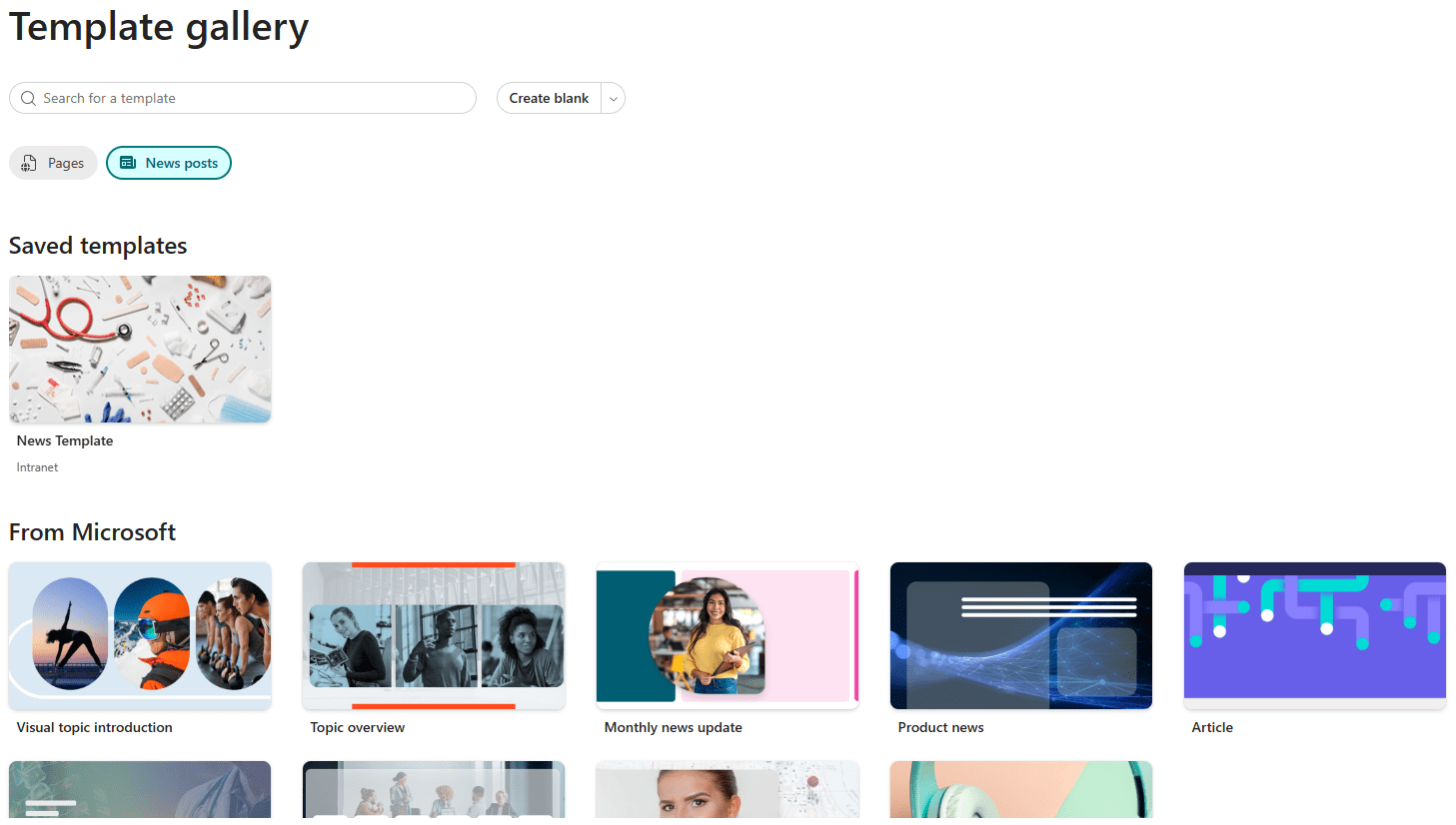
Creating pages and news posts is now quicker and more intuitive. The refreshed template gallery makes it easier to find the right layout, and for organisations using Microsoft 365 Copilot, AI-assisted features can help draft and structure content.
This is a big win for comms teams and content owners. Publishing no longer feels like a chore, and consistency across sites is much easier to maintain.
Better Integration Across Microsoft 365
The updated SharePoint home page feels more connected to the rest of Microsoft 365. OneDrive access is built straight into the app bar, global navigation is more consistent, and everything feels like part of one ecosystem – not separate tools stitched together.
That consistency reduces training time and helps users move confidently between apps.
Why This Update Matters
At its core, this SharePoint update is about removing friction. It helps people find information faster, publish content more confidently, and build solutions without needing deep technical knowledge.
For organisations investing in intranets, knowledge sharing, or digital workplaces, this refreshed home page is a solid step forward – and a great opportunity to rethink how SharePoint supports the way your people work.
If you’re not sure how to make the most of the new experience, or you want to align it with your intranet strategy, that’s where 3grow can help – get in touch via learn@3grow.net