
Why you should use Power BI in 2025
Learn how Power BI empowers businesses of all sizes with actionable insights, real-time analytics, and cost-effective solutions. Explore its essential features and benefits in this comprehensive guide.
In 2025, data is the driving force behind business success. Microsoft Power BI is revolutionizing how organizations turn raw data into actionable insights. Whether you’re new to Power BI or an experienced user, this guide explores the 25 key benefits of Power BI and why it’s an indispensable tool for businesses today.
1. Power BI has AI-Powered Insights
Power BI leverages artificial intelligence capabilities, such as image recognition, text analytics, and machine learning integration via Azure. Even non-data scientists can create models and derive insights from structured and unstructured data, enabling smarter decision-making.
2. Intuitive Data Visualisations
Data becomes more digestible when presented visually. Power BI offers customisable dashboards, interactive charts, and visually appealing reports that simplify complex data for every team member.
3. Real-Time Data Access
Access up-to-date information with Power BI’s real-time dashboards. Whether monitoring sales performance or tracking customer feedback, Power BI ensures you’re always working with the latest data.
4. Power BI Integrates with Microsoft Tools
One of the greatest benefits of Power BI is that integrates effortlessly with Microsoft 365 apps, including Excel, SharePoint, and Teams. This allows users to enhance their workflows, embed reports into collaborative spaces, and work with data directly in tools they already use.
5. Customisable Dashboards and Reports
Tailor your dashboards to your business needs with Power BI’s drag-and-drop functionality. From sales metrics to operational insights, personalised reports allow you to focus on the data that matters most.
6. Connect to Multiple Data Sources
Power BI connects to a vast array of data sources — from Excel spreadsheets and SQL databases to cloud platforms like Azure and Google Analytics. This flexibility ensures a holistic view of your business operations.
One of Power BI’s standout features is its ability to connect to a vast array of data sources, making it an indispensable tool for businesses of all sizes. With over 100+ supported connectors, Power BI enables seamless integration with diverse platforms, databases, and cloud services, providing a unified view of your business data.
Power BI supports everything from on-premises databases, such as SQL Server, Oracle, and IBM, to cloud-based services, like Azure, Google Analytics, Salesforce, and Dynamics 365. It can also handle file-based data sources like Excel, PDF, and SharePoint folders. Additionally, it’s compatible with real-time streaming data, allowing businesses to track live updates for metrics like sales, website traffic, or social media activity.
By integrating with so many sources, Power BI ensures that businesses can harness insights from every operational facet, creating a holistic data ecosystem that drives better outcomes.
7. Cost-Effective Solution
Compared to other analytics tools, Power BI is highly affordable. With the free Power BI Desktop version for beginners and budget-friendly plans like Power BI Pro at $9.99/user/month, businesses of all sizes can benefit
8. Power BI is Mobile-Friendly
Access Power BI on the go with its mobile apps for iOS, Android, and Windows devices. No matter where your team is working, real-time insights are just a tap away.
9. Self-Service BI for Non-Technical Users
You don’t need to be a data scientist to use Power BI. Its user-friendly interface, natural language queries, and drag-and-drop tools empower anyone to create professional reports without relying on IT.
10. Enhanced Security Features
Power BI offers robust security options, such as row-level security (RLS), which ensures that users only see the data they are authorised to view. This reduces the risk of data breaches and builds trust across the organisation.
11. Trending Benefit of Power BI is the AI-Driven Forecasting
Use Power BI’s forecasting tools to predict trends, anticipate outcomes, and make proactive decisions based on historical data patterns.
12. Collaboration Made Simple
In today’s fast-paced business environment, collaboration is key to success. Power BI makes team collaboration seamless by providing multiple ways for users to share insights, reports, and dashboards across departments. Whether you’re working in a small team or a global enterprise, Power BI ensures that everyone stays on the same page.
One of its most powerful collaboration features is the ability to embed reports and dashboards directly into Microsoft Teams. This means that team members can view live data insights without leaving their workspace, making data discussions more interactive and actionable. For example, during a weekly sales meeting, a manager can embed a Power BI report into a Teams chat, allowing everyone to analyse sales performance metrics in real time.
Another standout feature is co-ownership of reports and dashboards. Multiple team members can work on the same report simultaneously, ensuring faster delivery and fewer bottlenecks. And with row-level security (RLS), you can restrict access to specific data for individual users, allowing collaboration while maintaining strict control over sensitive information.
By fostering transparency and teamwork, Power BI helps organisations make faster, more informed decisions. Collaboration isn’t just easy with Power BI — it’s second nature.
13. Frequent Updates
Microsoft consistently updates Power BI with new features and improvements based on user feedback. This ensures that businesses stay ahead with the latest innovations.
Pro Tip:
One of Power BI’s most user-friendly features is its Natural Language Query (NLQ) capability, which allows you to interact with your data by simply typing questions in plain English. Whether you’re a business leader, analyst, or non-technical user, this feature eliminates the need for complex formulas or coding — making data analysis accessible to everyone.
How It Works
Power BI’s Q&A feature uses artificial intelligence (AI) to interpret your questions, understand your intent, and provide instant answers by generating dynamic visualisations or key insights. You’ll find the Q&A box on your Power BI dashboards, where you can type questions like:
- “What were the total sales in 2023?”
- “Show the top 5 products by revenue”
- “Which region had the highest sales growth last quarter?”
Power BI will process the query and instantly generate visual representations, such as charts, graphs, or tables, to present the information clearly.
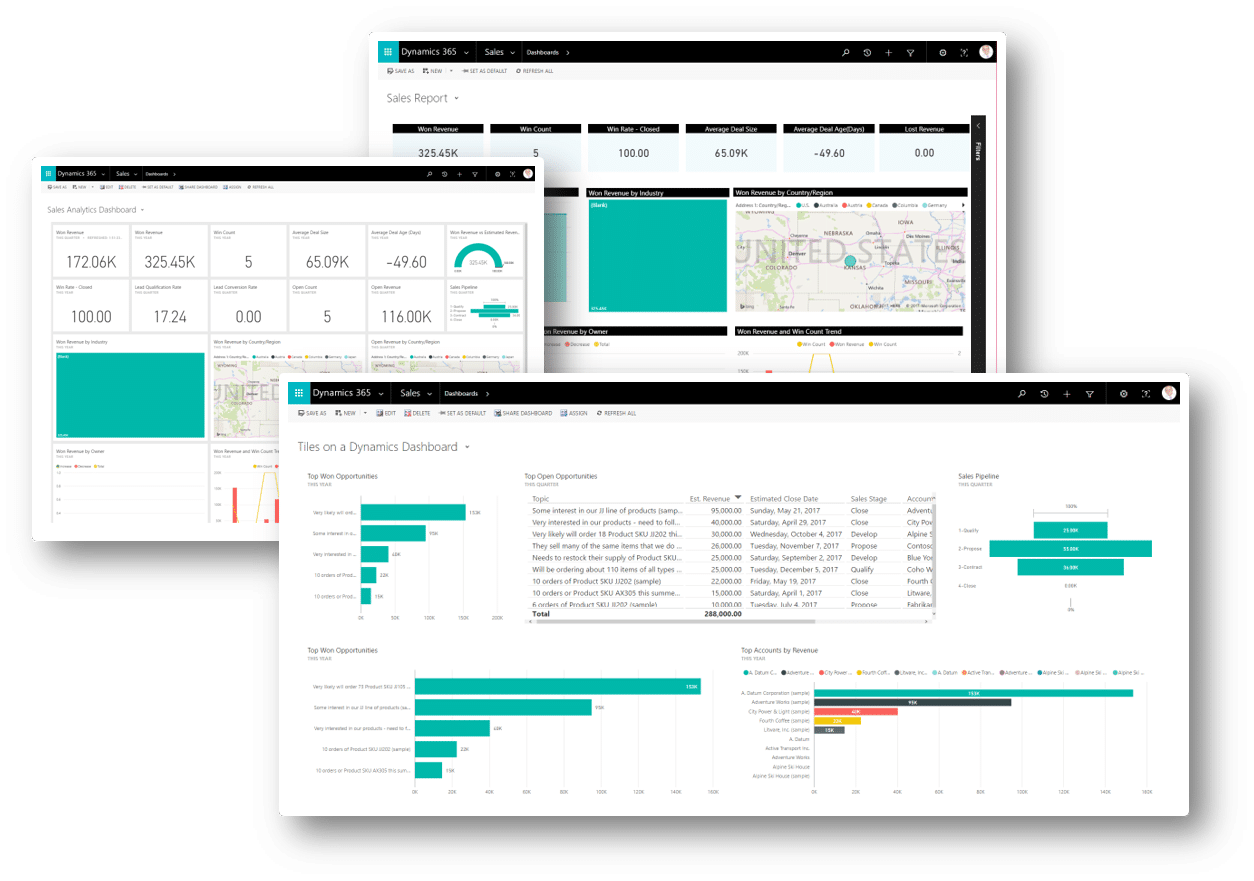
14. Built-In Templates
Save time with Power BI’s pre-built templates designed for industries like finance, retail, and healthcare. These templates enable users to hit the ground running without starting from scratch.
15. Scalability for Growing Businesses
Power BI scales effortlessly as your business grows. Whether you’re managing small datasets or working with enterprise-level data, Power BI adapts to meet your needs.
16. Simplified Data Preparation
With tools like Power Query, Power BI allows users to clean, transform, and shape data quickly, eliminating the complexities of manual data preparation.
17. Industry-Specific Applications
Power BI offers tailored solutions for industries like healthcare, education, retail, and more, ensuring that organisations across sectors can leverage its benefits.
18. Power BI Supports Big Data Analysis
Combine the benefits of Power BI with Azure to process and analyse massive datasets. This is essential for organizations dealing with large-scale data who want to uncover hidden trends.
19. Visual Drill-Through Features
Dive deeper into your data with drill-through reports, enabling you to analyze details behind metrics with just a click.
20. Insights Across Departments
From HR and finance to marketing and operations, Power BI provides actionable insights for every team, fostering alignment and data-driven decision-making.
21. Easy Integration with Third-Party Tools
Power BI connects with popular platforms like Salesforce, Google Analytics, and Dynamics 365, ensuring a seamless data flow across your organisation.
22. Time-Saving Automation
Use Power Automate with Power BI to automate repetitive tasks, such as report generation or email notifications, saving valuable time.
23. Unified Data Ecosystem
Power BI creates a unified environment by consolidating data from multiple sources. This eliminates silos and provides a single source of truth for your organisation.
24. Performance Optimisation
When working with large datasets and complex reports, performance is critical. Power BI has robust tools and features designed to optimise performance, ensuring that your dashboards and reports load quickly and efficiently — even when dealing with millions of rows of data.
At its core, Power BI uses in-memory storage technology, which allows it to compress large datasets and store them in an optimised format. This significantly improves query performance and reduces the time it takes for reports to load. Businesses with high data volumes benefit from faster response times, enabling teams to access insights without delays.
Power BI also provides performance tuning tools, such as the Performance Analyser. This tool helps users identify bottlenecks in their reports, such as slow-loading visuals or inefficient queries. By pinpointing these issues, businesses can fine-tune their reports for maximum speed. For example, you can replace heavy visuals with optimised alternatives or adjust the dataset refresh frequency to prioritise real-time needs without overloading system resources.
Another important feature is DirectQuery mode, which allows users to run queries directly on the source database rather than importing data into Power BI. This is particularly useful for large, dynamic datasets, as it reduces the need for frequent data refreshes and ensures users are always working with the most up-to-date information.
In short, Power BI’s performance optimisation features ensure that businesses can handle data of any scale, delivering a seamless and efficient user experience every time.
25. Encourages Lifelong Learning
To get the most out of Power BI, consider enrolling in a Power BI essentials course. These courses provide hands-on experience and help teams unlock the full potential of this powerful tool.
Why Choose Power BI in 2025?
The benefits of Power BI is that it isn’t just a tool — it’s a game-changer for businesses striving to stay competitive in a data-driven world. Its affordability, scalability, and innovative features make it a must-have for organisations of all sizes.
Ready to unlock the full potential of Power BI? At 3grow, we offer comprehensive Power BI courses designed to help you master the fundamentals and take your data skills to the next level. Whether you’re just starting out or want to refine your expertise, our expert-led training ensures you’re equipped to succeed in today’s data-centric landscape.
Get in touch with us today to learn more!
Power BI has proven itself as a leader in the business intelligence space, offering tools that empower businesses to visualise, analyse, and act on their data. With its versatility, affordability, and constant innovation, Power BI is set to remain at the forefront of analytics in 2025. Whether you’re a seasoned user or just starting, a Power BI essentials course is your gateway to success.